
Discover Tamebi in PowerPoint: Your AI Assistant Inside Your Presentations
Every time you use an AI agent inside PowerPoint today, your content leaves your laptop. Your strategy, your fundraising numbers, your roadmap, your client decks — uploaded to servers you don't own, processed by models you can't see, kept for who-knows-how-long. Tamebi in PowerPoint is our answer to that: open source models (Qwen, GLM, DeepSeek and more) running directly on your laptop or a server, called via slash commands or prompts. No cloud round-trip. No data leak. Just AI that finally respects the file it's working on.
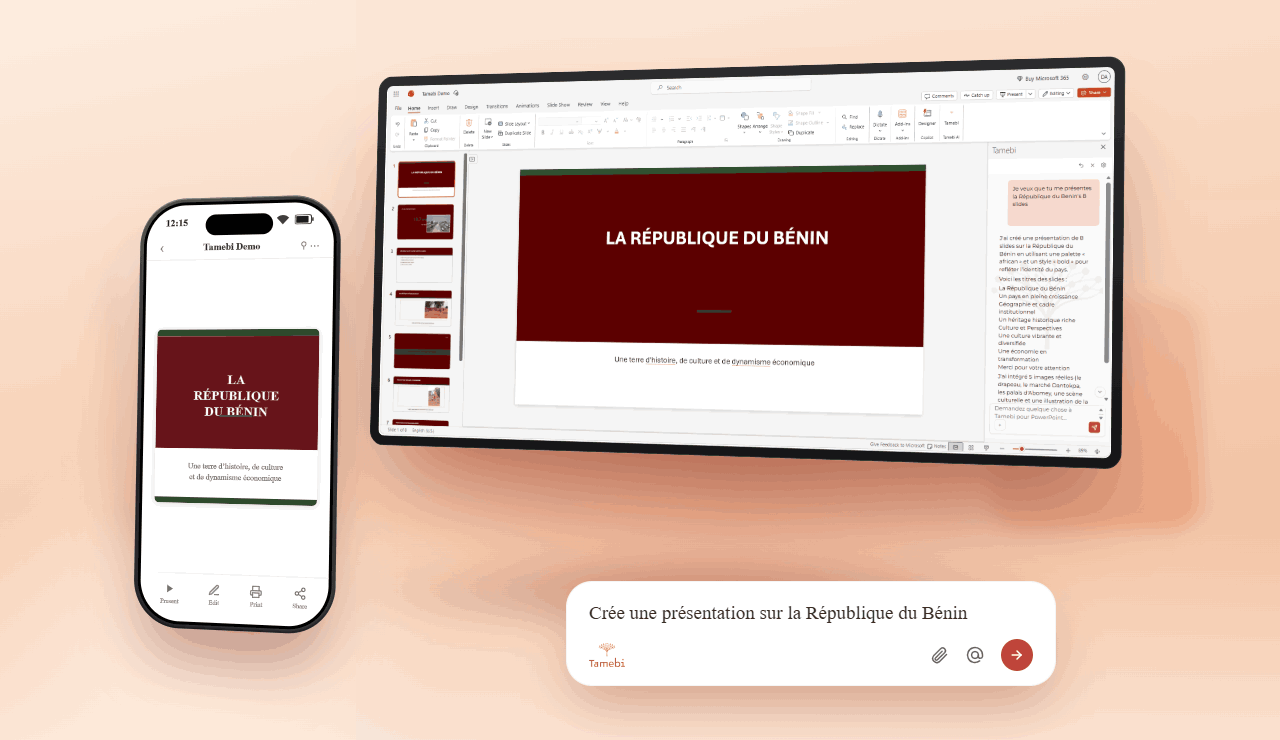
There is a silent trade-off that plays out every time someone types a prompt into an AI feature in PowerPoint.
The result is impressive. The friction disappears. But somewhere between the moment you hit Enter and the moment the slide builds itself, your content has left your computer. It traveled across the internet to a server you don't own, was read by a model you can't audit, and was logged in a way you'll never fully see.
For a yoga-class presentation, that's fine. For a board deck, a fundraising deck that holds your real ARR numbers, an unannounced product roadmap, or an M&A presentation that is still confidential, it isn't. It's a leak waiting for an incident report.
Tamebi in PowerPoint is our answer to that.
What is Tamebi in PowerPoint?
Tamebi in PowerPoint is a PowerPoint add-in that embeds open-source AI models, Qwen, GLM, DeepSeek and others, directly into your presentations. Every token of inference happens on your laptop or server. Your files never leave the machine it's already on.
Think of it as the difference between sending your deck to "the cloud AI" and asking an AI that lives inside your computer to design the slides right there, in front of you.
There's a gap between wanting to use open-source AI and actually using it. In PowerPoint that gap is even wider, because the people who most need to build slides quickly and well (executives, consultants, founders, product teams, trainers) are also the least likely to spin up a local inference server from the command line.
So we put the server inside the add-in, and the models one click away.
The problem we kept hearing.
Before we built this, we kept hearing the same thing, phrased differently, from very different teams:
"I can't put our real fundraising numbers into an online AI tool, it's confidential."
"Our security team blocked the cloud AI features. We need a local option."
"I have to prep a board deck for tomorrow morning, but it has HR and financial data I'm not allowed to upload."
"I just want help building beautiful slides without sending our strategy to a US server."
These aren't paranoid worries. They are the daily reality of anyone preparing a high-stakes presentation, which, if you really think about it, is almost everyone who opens PowerPoint at work.
The current answer from most AI-in-PowerPoint products is some variant of "trust us." Ours is simpler: the data doesn't move.
How it works: slash commands or prompts
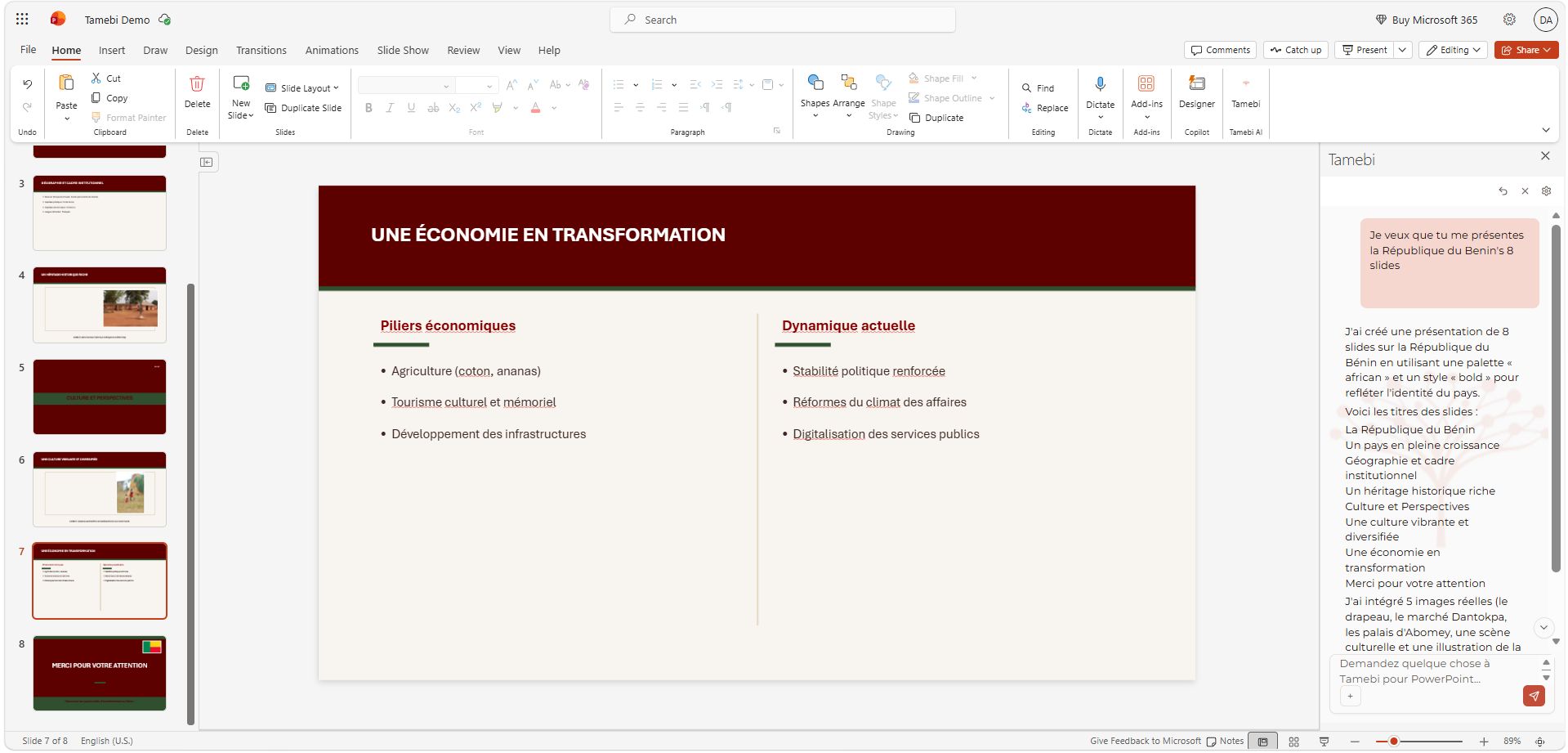
Tamebi in PowerPoint lives in an Office pane, but you mostly drive it like a chat: you describe the deck you want, and it builds it slide by slide, with real layout, a coherent palette, and titles that carry a message.
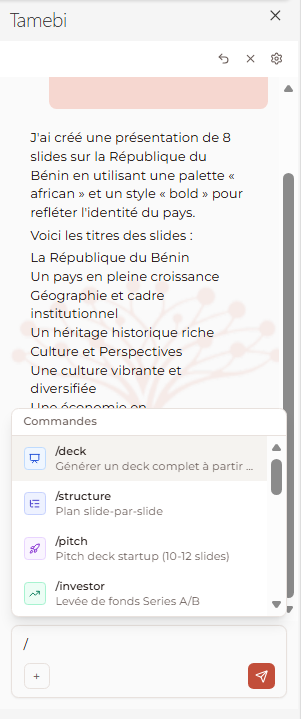
You type a slash in the pane's chat, you describe your topic and constraints, and the deck appears. Here are a few examples of commands currently available in Tamebi in PowerPoint:
/deck: Generate a complete deck from a brief.
/structure: A slide-by-slide outline before any creation.
/pitch: Startup pitch deck.
/investor: Fund-raising deck.
/executive: Board / leadership presentation.
/rapport: Monthly or quarterly business report.
/produit: Product launch deck.
/technique: Architecture / design presentation.
/formation: Training and educational deck.
/presentation: A deck about a country, a city, or a topic (colorful + photos).
/couverture: A professional title slide.
/resume: An executive-summary slide.
/agenda: An agenda / table-of-contents slide.
/design: A visual rework of one slide or the whole deck.
/illustrer: Add real images (flags, monuments, photos) to slides.
A word on images: when your topic is visual, Tamebi pulls real photos from free, public sources (flags, Wikipedia articles, Wikimedia Commons) and drops them straight into your slides, instead of leaving an "[Image: …]" text placeholder. Your slides still go nowhere; only the public images come to you.
The models: Qwen, GLM, DeepSeek and many more
The clear message we want to land is this: Tamebi AI lets you use open-source models (Qwen, GLM, DeepSeek) and others, directly inside PowerPoint.
This matters for three reasons.
First, choice. Different models excel at different things. Qwen is excellent for multilingual work and structured extraction. GLM is strong at reasoning and instruction-following, which matters when you ask it to respect a precise deck skeleton. DeepSeek punches well above its class on code, math, and long-context summarization. Inside the add-in, you pick the model from a dropdown, the way you'd pick a font.
Second, transparency. Open-source models can be inspected, fine-tuned, and audited. You can actually know what's running on your machine. That's something no proprietary cloud model can offer you.
Third, sovereignty. The same models that power our add-in run everywhere. If tomorrow you want to move from your laptop to a private server in your own data center, the model doesn't change. There is simply no proprietary lock-in.
Local-first, by design
We want to be very precise about this, because it's the whole point.
When you run a slash command in Tamebi in PowerPoint, the model loads on your machine, reads the slides you pointed it at, generates the content and layout on your machine, and writes the result straight into your presentation. At no point in that flow does your deck touch our servers, the model provider's servers, or anyone else's.
That means:
You can use it on a plane with no Wi-Fi, the night before a board meeting.
You can use it in a disconnected, air-gapped enterprise environment.
You can use it on a deck your compliance team would never let you paste into a chat window.
And so nothing slips past you, every write into your presentation goes through an approval step: you see what the AI is about to do before it does it. If your IT team wants to verify it, they can. The model files are on disk. The traffic is observable. There is no hidden round-trip.
Easy setup: one click, then you're working.
Book your demo with us through this link: https://lab.tamebi.ai/book-demo
Who is it for?
Executives and leadership teams preparing board decks with numbers that can't leave the company.
Founders building a pitch or investor deck with their real traction and real financials.
Consultants and firms handling client data under NDA.
Product teams presenting unannounced roadmaps.
HR, finance and FP&A teams putting salaries, reviews and forecasts into slides.
Trainers and public-sector teams subject to data-residency rules.
And, let's be honest: anyone who has ever hesitated before pasting a strategy deck into a chatbot.
What's next
This is v1. Upcoming releases will add more slash commands, more models, richer native support for charts and diagrams, batch operations across entire presentations, and tighter integration with the rest of the Tamebi ecosystem.
Open-source AI shouldn't stop at the terminal. It belongs everywhere real work gets done. And for hundreds of millions of people, a lot of the real work ends up in a deck.